
How to request cleaning service, step by step
Requesting service takes about two minutes. Here's every step, with pictures — and if anything feels confusing, skip all of it and just call. A real person answers.

Prefer to talk to a person?
Call us and we'll do the whole thing together on the phone — happily. Every day, 8am–6pm.
Call (913) 444-9667Step 1: Tap the service you need
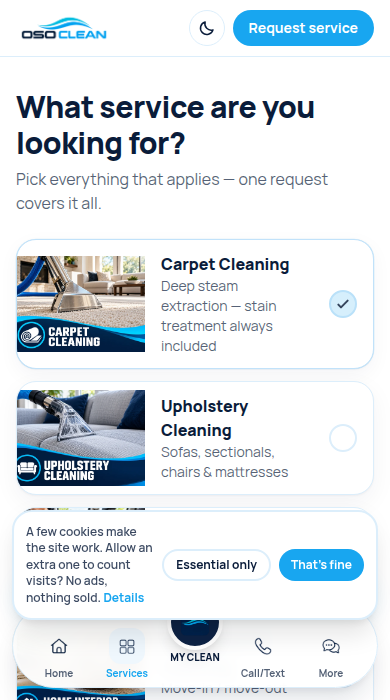
Tap "Services" at the bottom of the screen, then tap each service you want — a blue checkmark means it’s selected. Then tap the big blue button.
Step 2: Tell us who you are
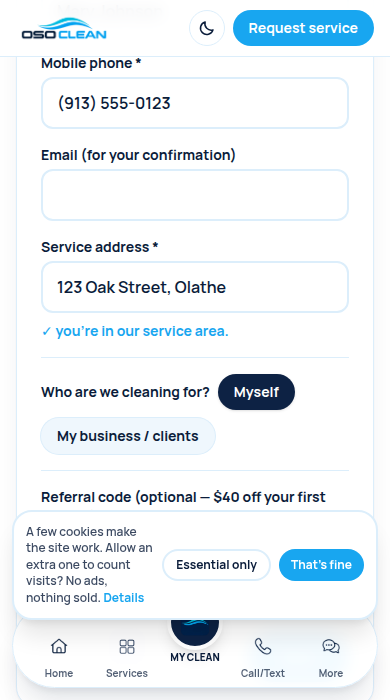
Type your name, phone number, and home address. We use this to confirm your visit — nothing else.
Step 3: Answer a few easy questions
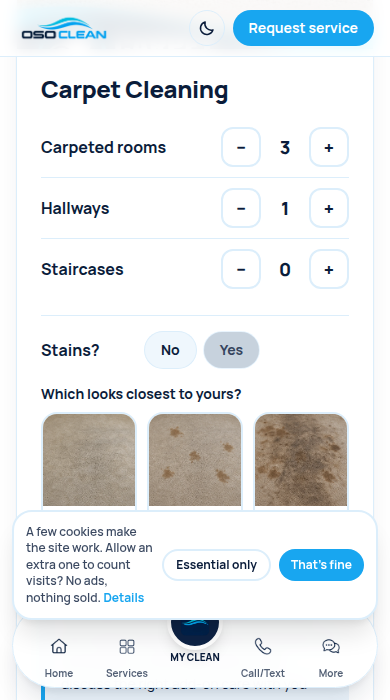
Use the + and − buttons to count your rooms. If you have stains, tap the picture that looks most like your carpet. There are no wrong answers.
Step 4: Add photos if you like
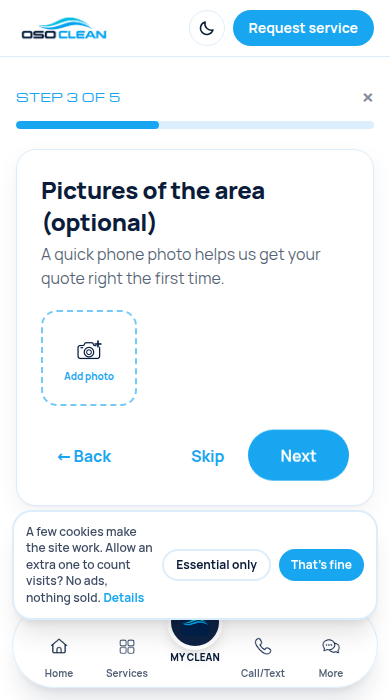
A quick phone photo helps us quote right — but you can tap "Skip" and we’ll simply talk it through on the phone instead.
Step 5: Pick a day on the calendar
Days you can book are shaded. Tap the arrows ‹ › to see next month — you can book up to 3 months ahead.
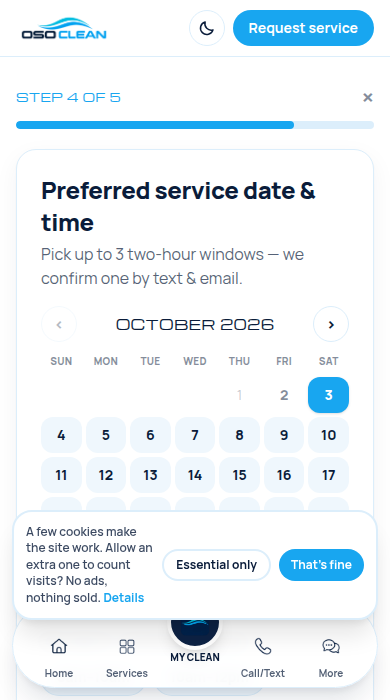
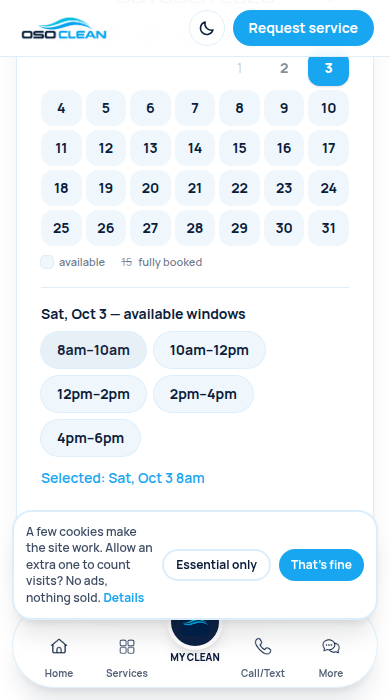
Step 6: Pick a time that suits you
Tap up to three 2-hour windows that work for you. We confirm ONE of them with you — you’re not locked in yet.
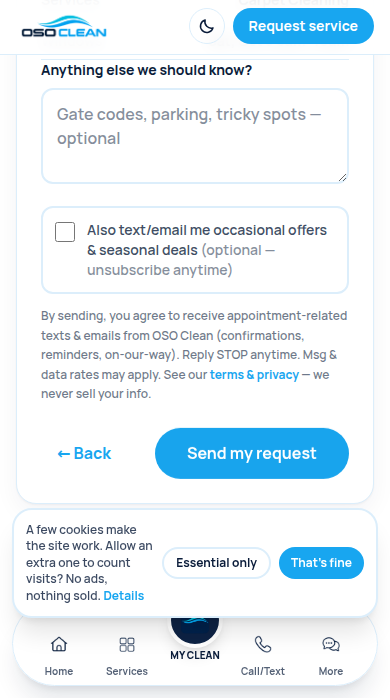
Step 7: Check it over and send
Everything you entered is shown in one place. If it looks right, tap "Send my request." That’s it — nothing is charged, nothing is final.
Step 8: We take it from here
You’ll get a text and an email from us confirming your time. If you need it urgently, the green screen has a button to call us right away.
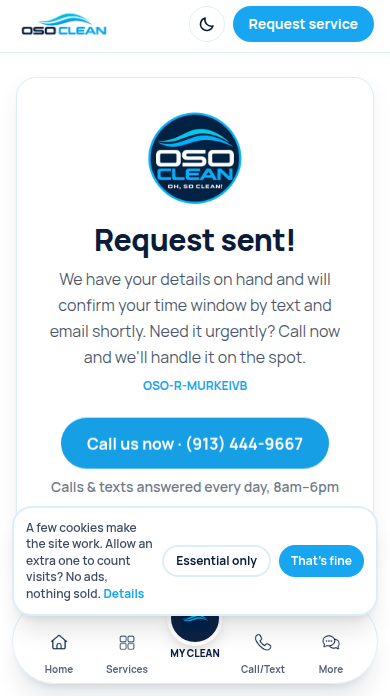
After you send your request
We confirm your time by text and email. On service day we text when we're on the way, and again when the work is done. You never have to check the app if you don't want to — everything important reaches your phone as a normal text message.

The My Clean app
A new way to manage your clean
OSO Clean runs on its own app, so the whole job lives in your pocket: booking, quotes, status, photos, receipts and your Care Plan, all in one place. No app store, no password — add it to your home screen and sign in with a code we text you.
 Request in about two minutesPick services, answer a few easy questions, choose the times that suit you.
- Approve quotes and track your visitSee your price before work starts, then follow confirmation, on-our-way and done — live.
- Before-and-after photos and receiptsEvery job documented in your own record. No paper, nothing to chase.
- Care Plan savings, applied automaticallyYour discount grows with each visit and shows up on its own — no codes to remember.
Still stuck? That's what we're here for.
Call us and we'll do the whole thing together on the phone — happily. Every day, 8am–6pm.
Call (913) 444-9667Send us a message
Goes straight to the owner — we reply by text or call.